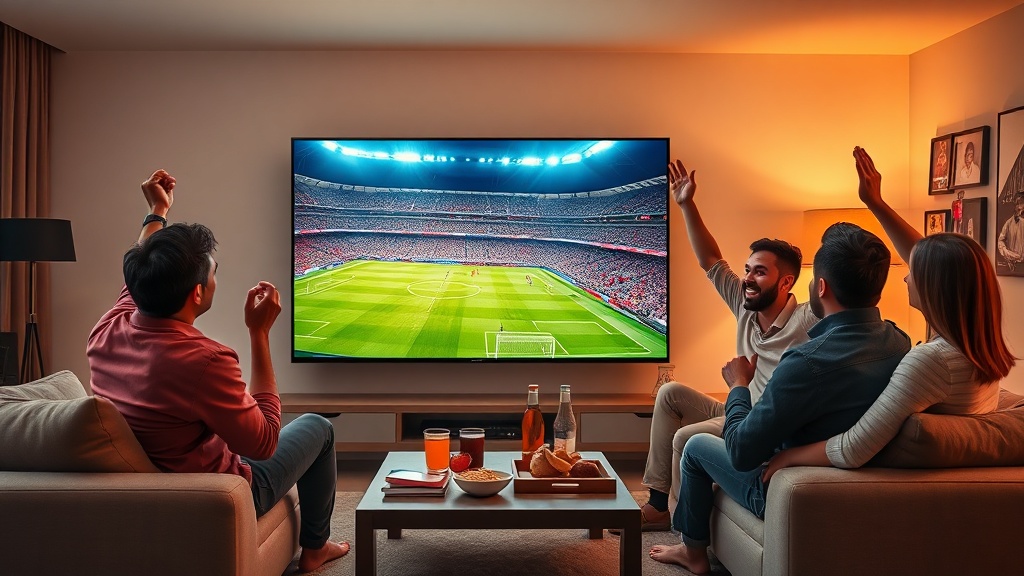
IPTV Smarters Failed To Authorize is a frustrating issue that many users encounter, preventing them from accessing their favorite streaming content. This common problem, where IPTV Smarters Failed To Authorize, can be a major roadblock for cord-cutters, sports fans, and families looking to enjoy live TV and on-demand media. Understanding why IPTV Smarters Failed To Authorize helps users make informed decisions about their IPTV provider, troubleshooting steps, and overall setup.
Table of ContentsUnderstanding Why IPTV Smarters Failed To AuthorizeCommon Causes for IPTV Smarters Failed To AuthorizeStep-by-Step Troubleshooting When IPTV Smarters Failed To AuthorizeOptimizing Performance and Preventing Future Authorization IssuesPricing, Plans, and Simultaneous ConnectionsWho is IPTV Smarters Pro Ideal For?Legality, Safety, and Risk ConsiderationsFrequently Asked Questions About IPTV Smarters Failed To AuthorizeRelated IPTV Services
Understanding Why IPTV Smarters Failed To Authorize
When you see the message “IPTV Smarters Failed To Authorize,” it essentially means the application cannot verify your subscription details with your IPTV service provider. This authorization failure can stem from several underlying causes, ranging from simple user error to more complex server-side issues. It’s not always a problem with the app itself, but rather with the connection or credentials being used.
The authorization process in IPTV Smarters Pro relies on your login information—typically a username, password, and a server URL or M3U playlist link. If any part of this information is incorrect, outdated, or the server itself is experiencing difficulties, then IPTV Smarters Failed To Authorize will appear. This initial hurdle can be confusing for new users, but often has a straightforward solution.
It’s important to differentiate between an authorization failure and other issues like buffering or no signal. An authorization failure specifically points to an inability to establish a valid connection with the IPTV backend due to credential or server access problems. Other issues usually occur after authorization has been successful.
Common Causes for IPTV Smarters Failed To Authorize

Several factors can lead to IPTV Smarters Failed To Authorize. One of the most frequent reasons is incorrect login credentials. Even a single typo in your username, password, or server URL can prevent successful authorization. Always double-check these details, as they are case-sensitive.
Another common cause is an expired or inactive IPTV subscription. If your service period has ended, your provider will revoke access, and IPTV Smarters Failed To Authorize will be the result. Similarly, if your provider’s server is down for maintenance or experiencing an outage, the app won’t be able to connect and authorize your account. This is beyond your control and usually requires waiting for the provider to resolve the issue.
Network connectivity issues on your end can also play a role. A weak or unstable internet connection might prevent the app from reaching the authentication server. While less direct, an overloaded VPN or proxy server could also interfere with the authorization process. Ensuring a stable internet connection is crucial for any streaming service.
Step-by-Step Troubleshooting When IPTV Smarters Failed To Authorize
When IPTV Smarters Failed To Authorize, start with the basics. First, meticulously verify your login details. This includes your username, password, and the server URL or M3U link provided by your IPTV service. It’s often helpful to copy and paste these directly if possible to avoid typing errors. If you’ve recently changed your password, ensure you’re using the updated one.
Next, check your internet connection. Ensure your device is connected to a stable Wi-Fi network or via Ethernet. Try restarting your router and modem, then relaunch IPTV Smarters Pro. A simple network refresh can often resolve temporary connectivity glitches that cause IPTV Smarters Failed To Authorize.
If the problem persists, contact your IPTV provider. They can confirm if your subscription is active, if their servers are operational, and if your credentials are correct on their end. Sometimes, providers perform maintenance or update server addresses, which would require you to update your app settings. For reliable service, consider providers like Deal IPTV that offer strong customer support.
Optimizing Performance and Preventing Future Authorization Issues
To avoid future instances where IPTV Smarters Failed To Authorize, always keep your subscription active and renewed on time. Most providers send reminders, but it’s good practice to mark renewal dates. Maintaining a stable and fast internet connection is also vital. For HD streaming, a minimum of 10-15 Mbps is recommended, while 4K content requires 25 Mbps or more.
Regularly update your IPTV Smarters Pro application to the latest version. Developers often release updates that improve stability, fix bugs, and enhance compatibility with various IPTV services. An outdated app can sometimes lead to unexpected authorization problems or other performance issues.
Consider using a reputable VPN service, especially if you experience geo-restrictions or ISP throttling. However, ensure the VPN server you choose is stable and not blacklisted by your IPTV provider, as some VPNs can inadvertently cause IPTV Smarters Failed To Authorize. Test different VPN servers if you suspect this is the case.
Pricing, Plans, and Simultaneous Connections
IPTV service providers typically offer a range of pricing and plans to suit different needs. Monthly subscriptions can range from approximately $10 to $25, with discounts often available for quarterly or annual commitments. These plans usually dictate the number of connections you can use simultaneously.
Most standard plans allow for 1-2 simultaneous connections, meaning you can stream on two devices at once. Some premium plans might offer 3-5 connections, catering to larger households or users with multiple devices. Always confirm the number of allowed connections with your provider to avoid issues, as exceeding this limit can sometimes cause authorization errors or account suspension.
When selecting a plan, consider not just the price but also the full channel list and the types of content offered. Some providers specialize in specific regions or content genres, like sports or international channels. A good provider will be transparent about their offerings and support for supported IPTV devices.
Who is IPTV Smarters Pro Ideal For?
IPTV Smarters Pro, when properly authorized, is ideal for a wide range of users. Cord-cutters looking to reduce their monthly bills while maintaining access to a vast library of live TV channels and on-demand content will find it a compelling option. Its versatility across multiple platforms makes it suitable for tech-savvy individuals who prefer a customized streaming experience.
Sports fans are another key demographic. Many IPTV providers offer extensive sports packages, including international leagues and pay-per-view events, often at a fraction of the cost of traditional sports subscriptions. Families can also benefit from the diverse content, including movies, TV series, and kids’ programming, all accessible through one intuitive interface.
Ultimately, IPTV Smarters Pro is best for users who are comfortable with a degree of self-setup and troubleshooting, and who value flexibility and choice in their entertainment options. When IPTV Smarters Failed To Authorize, it becomes a temporary hurdle for these users, but one that is usually surmountable with the right knowledge.
Legality, Safety, and Risk Considerations
The legality of using IPTV Smarters Pro itself is generally clear; it’s a media player, similar to VLC. However, the legality hinges entirely on the source of your IPTV subscription. If you are using an unauthorized IPTV service that streams copyrighted content without proper licensing, then that activity is illegal. Always choose reputable IPTV providers that clearly state their licensing and content acquisition methods.
Regarding safety, using legitimate IPTV services with IPTV Smarters Pro is generally safe. However, opting for unverified or “shady” providers can expose you to risks such as malware, phishing attempts, or data breaches. Some illicit services might require you to download third-party apps that could compromise your device’s security.
The primary risk when IPTV Smarters Failed To Authorize often comes from using unreliable providers who might disappear overnight, leaving you without service or recourse. It’s always advisable to research providers thoroughly, read reviews, and ideally, start with a short-term subscription or trial to assess their reliability before committing long-term. Be wary of providers offering thousands of channels for unbelievably low prices, as these are often operating illegally.
Frequently Asked Questions About IPTV Smarters Failed To Authorize
Is using IPTV Smarters Pro legal?
IPTV Smarters Pro is a legal media player application. Its legality for streaming depends entirely on the IPTV service you subscribe to. If your IPTV provider offers content without proper licensing, then using that service, regardless of the player, is illegal.
What internet speed do I need to prevent authorization issues and buffering?
While authorization primarily depends on connectivity, a stable internet connection is crucial for all IPTV functions. For standard definition (SD) content, 5-8 Mbps is usually sufficient. For high definition (HD), aim for 10-15 Mbps, and for 4K Ultra HD, 25 Mbps or higher is recommended to ensure smooth playback and prevent buffering.
How many devices can I use if IPTV Smarters Failed To Authorize?
The number of simultaneous connections allowed is determined by your specific IPTV service provider and your subscription plan, not by IPTV Smarters Pro itself. Most basic plans allow 1-2 connections, while premium plans might offer 3-5. Exceeding this limit can cause authorization failures or account suspension.
Why does my stream buffer or freeze even after authorization?
Buffering or freezing after successful authorization typically indicates a problem with your internet speed, network congestion, or the IPTV provider’s server load. It’s different from “IPTV Smarters Failed To Authorize.” Try restarting your router, checking your internet speed, or contacting your provider if the issue persists.
Are there trials or refunds available if IPTV Smarters Failed To Authorize?
IPTV Smarters Pro itself is a one-time purchase or free app, so trials/refunds apply to the IPTV service. Many reputable IPTV providers offer short trial periods (e.g., 24-48 hours) or money-back guarantees. Always check the provider’s refund policy before subscribing, especially if you’re concerned about potential authorization issues.
Related IPTV Services
You may also visit the following websites for similar services: